


Social procurement made simple with Mardaa stores
Posted by Mardaa on 1st Apr 2026
Ditch the spreadsheets. Seamless social procurement through tech that works for you, not against you.
streamlining procurement projects with tailored B2B portals & online company stores
We’ve been quietly crafting simpler ways to manage social procurement projects, helping companies streamline their ordering, while staying focused on creating a meaningful impact. Gone are the days of jumping between multiple spreadsheets and inboxes filled with back-and forth-emails from your team about sizes and quantities.
Our online company stores make this possible, through B2B portals equipped with PunchOut (EDI) capabilities. The system handles logistics and payments, so you can focus on the best task of selecting deadly products. Achieving your CSR goals and responsibilities is also embedded in every order, with profits from every product sold directed to First Nations projects through the Mardaa Fund.
what exactly is an online company store & B2B portal?
Setting up an online company store and a B2B social procurement portal provides you with access to a centralised and personalised dashboard that helps you control and manage every order from end-to-end. We guide you through the entire set-up process, providing training modules to get you and your team up to speed.
Once you have the tech down pat, you can start selecting your items and pricing with the Mardaa team so your team can start repping your brand with pride. Our stores are built for businesses of all sizes, complete with PunchOut that plugs directly into your internal ERP like Ariba, SAP or Pronto. Once your team selects their items, the cart is transferred back to your system for internal approval. Once you or an admin has clicked approved, the order is pushed back to the Mardaa webstore for shipping and delivery.

how to set up an online company store & B2B portal
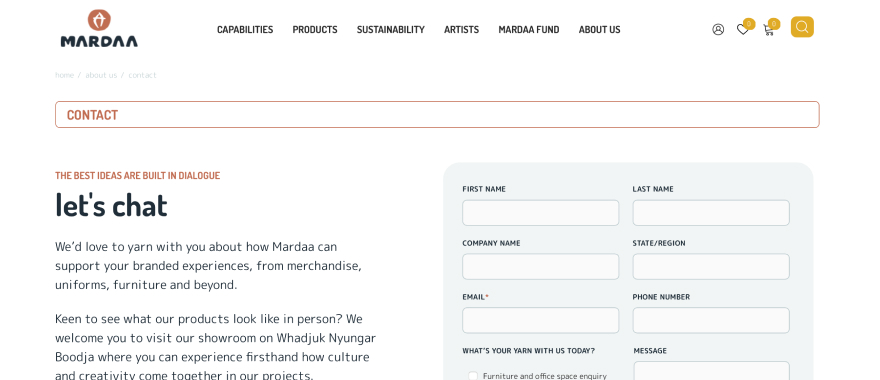
To set up a company store, you need to head over to our contact page and fill out the form. A team member will get back to you within 24 hours, yarning with you about what products you’re after, your pricing structure and preferred payment method. We will then set up a Company Store and Company Administrator Account so you can get started.
full oversight & control without the extra admin
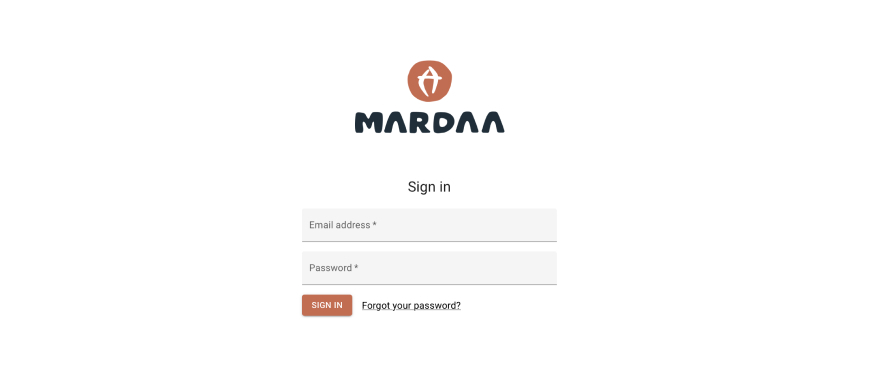
The Company Administrator (most likely you reading this), will have full control over the account including user roles and company settings. This includes specific pricing, default payment methods, delivery addresses and who can approve orders. Once orders are approved, the system can push the invoice directly back to your platform for automated reconciliation. All of the capabilities are fully customisable, so the tech fits your business – not the other way around.
diving into the dashboard
The dashboard is where you’ll find everything you need to know about your procurement. You’ll have direct access to wholesale pricing as quoted by a Mardaa team member.
You can also access a consolidated view of every user’s previous and current orders, including:
- Order number, date and product details
- Real-time order status (eg. processing/shipped)
- Shipping carrier & tracking ID
- Filter and search tools to easily locate past order by status or date range.
understanding user functionalities
Once your Company Administrator account is set up, you can start adding additional team members, either manually or via CSV. You can assign a role to each user with different capabilities, which can be completely customised to suit your company’s needs.
You can save multiple address profiles to your account, making it easy to select different addresses at checkout or to set up recurring deliveries. Account holders can also update their own personal or company details, manage notification preferences and view available payment terms and credit limits at any time.
Here’s a quick breakdown of the roles:
- Admins: If you’re setting up the account, you will be the Company Administrator. Admins have full control and oversight of the account. They can create bespoke roles with customised permissions to ensure the right people have access to the capabilities they need, while keeping other functions private that are not relevant to their role.
- Senior Buyers: Senior Buyers can create, edit and submit orders, as well as approve purchase requests from other users. Admins can control their capabilities, including access to company details, billing, shipping and user management.
- Junior Buyers: Junior Buyers have access to the buyer portal but cannot complete checkout without approval from an approver or admin. This function can be turned on or off depending on your company’s needs.
- Custom Roles & Enhanced Permissions: If the standard roles don’t fit your team, completely custom roles can be created. You can select new parameters and permissions to tailor the experience exactly to your organisation’s workflow.
breaking down user functions for large companies
For companies managing large teams who need to select their own sizes, quantities and colours, each of them can be set up as a Junior Buyer under the company account. Admins and Senior Buyers can oversee the process, while Junior Buyers can build shopping lists, carts and send off orders for approval. Larger teams can also be added in bulk, making it easy for even thousands of staff to participate in ordering without losing control over the approval process.
If your company has multiple branches of divisions, the parent company (main company) account can see and control the child accounts (branches, departments or subsidiaries). This means that one central admin can manage multiple accounts at once. Admins can manage users, approvals and orders across all linked accounts without juggling separate log-ins, making it easier to maintain oversight over a large organisation.

successfully navigating the buyer portal
The buyer portal is where your users can collate orders, make requests and approve order requests.
You can speed up the ordering process using:
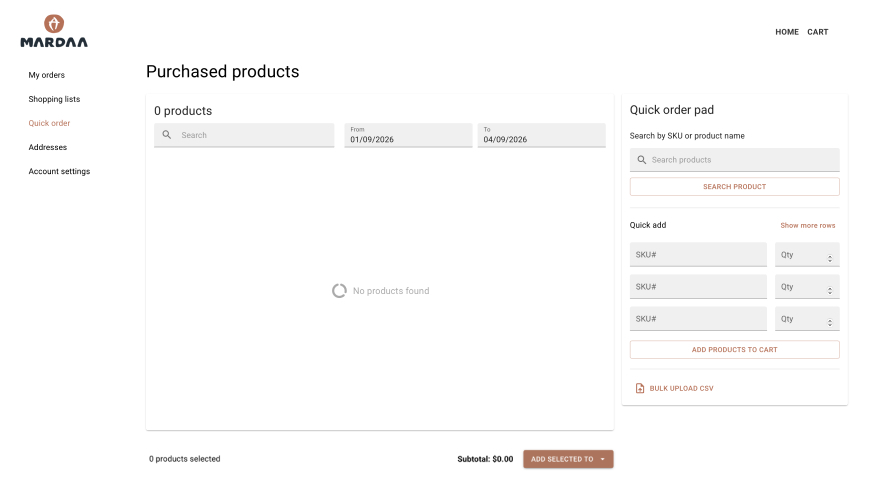
- Quick Order Pad: This allows users to input SKUs or part numbers and quantities directly. This helps bypass storefront navigation and time spent-on site when you already know what you want to order.
- Reorder Functionality: When you know you need to order the same items frequently, you can quickly repeat past purchases with one-click ordering.
- Saved Carts: Users can build and save carts, which they can then order or request when they’re ready.
support & guidance to expect during your procurement project
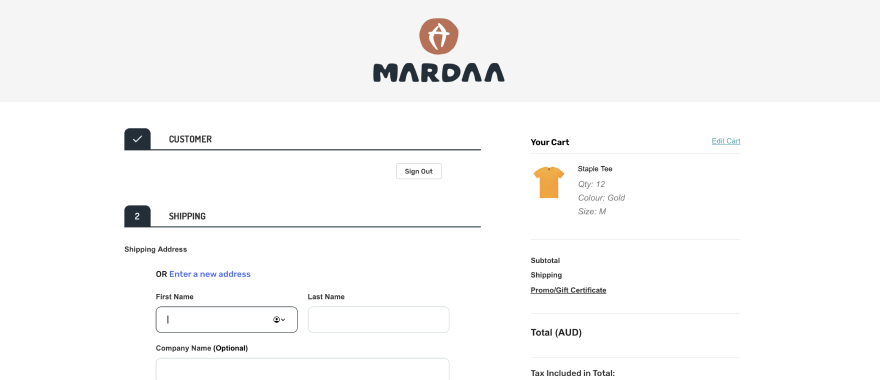
The system is fitted with a Sales Masquerade Capability, which is basically a ‘view as user’ tool. We like to think of it as a digital helper, allowing our team to step into your shoes to see what’s on your screen when you log in to the portal.
You’ll always have complete oversight of your account. The Sales Masquerade function is fully transparent with every movement we make logged into the system.
What can we help with:
- We can place orders for you if you’re busy or on the road. You can give us a call and we can place the order for you.
- If you or your team run into any issues, we can log in as ‘you’ and see exactly what’s going on to fix it.
- We can provide guided walk throughs on how to use the system when you run into roadblocks completing the training modules. You won’t just have a tech support ticket lodged, you’ll have a team member available to produce a personalised service.
ready to simplify your next social procurement project?
Reach out to get started and create a positive impact together.
GET STARTED